
For numbers, the phone beats the keyboard
Slide a numeric pad out of the trackpad and use both at once: the top half still moves the pointer, the bottom half types digits. It appears by itself in number-heavy apps.
- Coexists with the trackpad
- Number-row key codes — Mac and Windows
- Opens itself for number-heavy apps
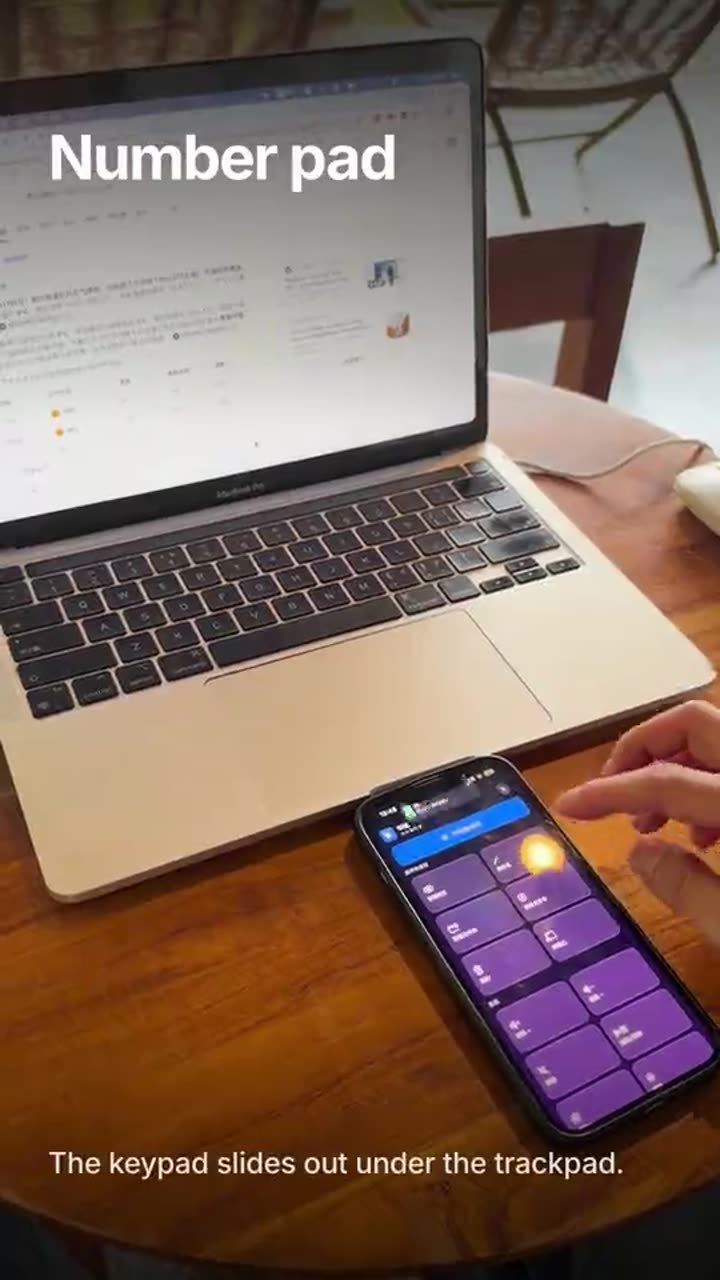
Forms, invoices, taxes — all numbers
Tapping digits one at a time on a trackpad is slow, and walking back to the laptop defeats the point.
Three steps
- 1
Slide it out
Swipe up on the trackpad, or tap the floating button on the right.
- 2
Type
The top half is still the trackpad; the bottom half is digits.
- 3
Put it away
Swipe down, or tap the button again.
How it works
Both at once
The pad never pushes the trackpad away — the pointer still moves while you type.
Follows the app
In a spreadsheet, a banking app or a tax form it opens by itself, and closes when you leave.
Works on both platforms
It sends number-row key codes, not keypad-block ones, so Windows receives them too.
Out of the way
Slide it down when you do not need it.
Where it earns its place
- Logging hours and expenses
- Filling a column in Excel
- Bank transfers and one-time codes
What it needs
- macOS 26 or later, M1 or newer
- iOS / iPadOS 17 or later
- Both devices on the same Wi-Fi
- Accessibility enabled on the computer
The one you will use more
The trackpad is the everyday entry point.
See the trackpad →Turn the phone into a keypad
Download the desktop app, install the phone app, same Wi-Fi.