Hold one button and your speech becomes text
On-device recognition, Chinese and English. Release the button and the text is already on the computer — long sentences, pauses in the middle, and going back to add something all work.
- Recognition happens on the phone; audio is never uploaded
- A pause mid-sentence does not drop what you said
- Long passages neither lose nor duplicate words
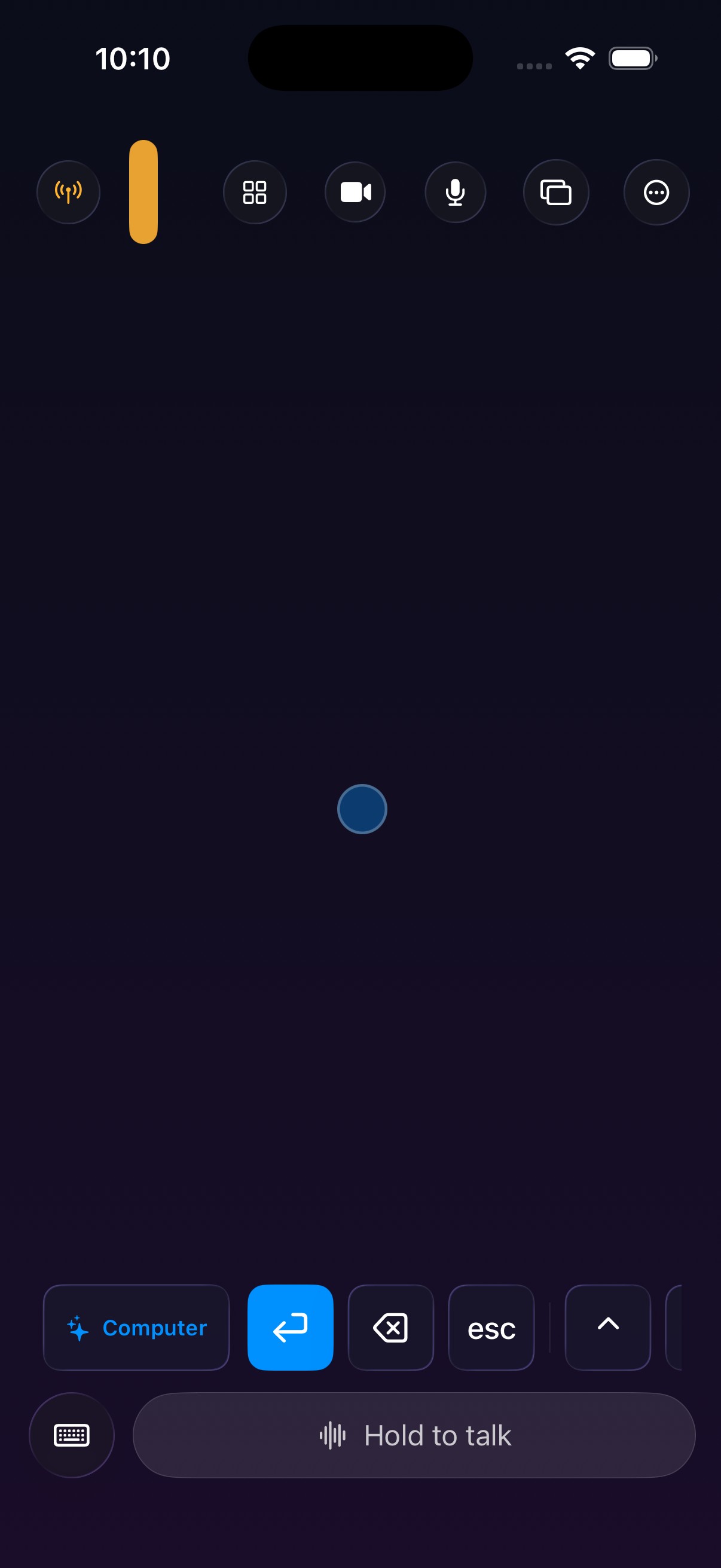
The worst part of dictation is losing the take
Many dictation tools throw away what you just said the moment you pause to think, or re-type everything when you add a sentence. You try it twice and stop using it.
Hold, speak, release
The same gesture as the built-in dictation button, except the output goes to your computer.
- 1
Hold the button
The wide capsule at the bottom — just hold it.
- 2
Talk normally
Pause, run long, and add another thought afterwards if you like.
- 3
Release
The finalised text is sent to the cursor on the computer.
Why it feels better than expected
A few details that were specifically engineered.
Pauses do not disconnect
Stop mid-thought and it commits that segment first, so you can carry on without repeating anything.
Long takes keep every word
Past a few dozen seconds it rolls the recogniser over at a natural boundary, with no dropped or duplicated words.
Fully on-device
Audio never leaves the phone, and there is no "uploading" second.
Uses the newer engine when present
If the matching on-device model is already installed, it uses the more accurate recogniser automatically.
Nothing is typed until you let go
Text is not pushed to the computer while you are still holding, so you can stop and rethink mid-sentence.
Other features yield while you talk
Video and the screen mirror step aside during dictation so the recogniser is not competing for hardware.
Getting better results
Half of it is the model, half is how you use it.
- Speak in paragraphs — think through one piece, then start the next. Far more accurate than three unbroken minutes.
- Mixing Chinese and English is fine — it works out which language applies where.
- Add a sentence afterwards — keep holding and keep talking; it will not overwrite what came before.
- Use it as a drafting tool — say the messy first draft, then go edit it on the computer.
What you need
- macOS 26 or later on Apple silicon (M-series)
- iOS / iPadOS 26 or later
- Both devices on the same WiFi network
- Speech Recognition permission on first use
If the matching on-device speech model is already installed, the newer recognition engine is used automatically. Nothing is ever downloaded.
And after you have said it?
The computer can act on it — volume, brightness, lock the screen, launch an app — all from the context modes.
See context modes →Hold the button and say something
Download the desktop app, connect the phone, hold the button at the bottom and say a sentence.