One remote should not have one set of buttons
"Next" advances a slide in Keynote, advances a page in a PDF, and scrolls in a browser. RemoteCrab watches which app you are in and swaps the buttons on your phone to match. You do not have to remember anything — it switches on its own.
- 18 button sets, switched automatically by the frontmost app
- 49 real apps covered, from Keynote to Cursor to Lark
- Any app not on the list still gets a sensible fallback set
This is not a list we wrote by hand
Every app below maps to a real macOS bundle identifier, from the same data the app matches on. Add an app on the Swift side and it shows up here.
How it knows what you are using
- 1
The computer tells the phone
While connected, the computer reports which app is frontmost and how many windows it has.
- 2
The phone matches the list
It looks up the bundle ID and picks that set; anything unmatched falls through to the fallback set.
- 3
The buttons change on the spot
You do not tap anything. Terminal in, terminal keys. Browser back, browser keys.
18 sets, 49 apps
Search for an app, or browse what each set actually does.
Presentation
2Advance, black out, exit playback — present without walking back to the desk
Agent
4Enter to approve, Ctrl-C to interrupt, copy/paste — supervise a long agent run from the sofa
AI
5Send, new chat, stop generating — talk to Claude, ChatGPT and OpenCode
Finder
1Rename, new, show info — sort files straight from the phone
Notes
1New, edit, bold, search — jot something down and have it on the computer
Browser
6New tab, close tab, back, forward — switch pages mid-talk
Write, send, mark read — answer one between meetings
Messages
1Send, new thread, switch chat — reply from the phone like the desktop
Calendar
1Today, next event, new event — fix a schedule from across the room
Xcode
1Build, run, switch simulator, devices — kick off a compile from anywhere
Editor
5Find and replace, undo, toggle sidebar — edit code without returning to the desk
Text
4Select all, copy, paste, undo — the universal writing keys
Media
2Play, pause, skip, volume — control playback without reaching over
Chat
5Send, new, copy — the common keys for team chat apps
Meeting
3Mute, hang up, flip the camera — when you are on someone else's call
Image
3Rotate, scale, export — the keys you reach for while editing photos
Notebook
3Run, run all, add cell — the notebook keys you actually use
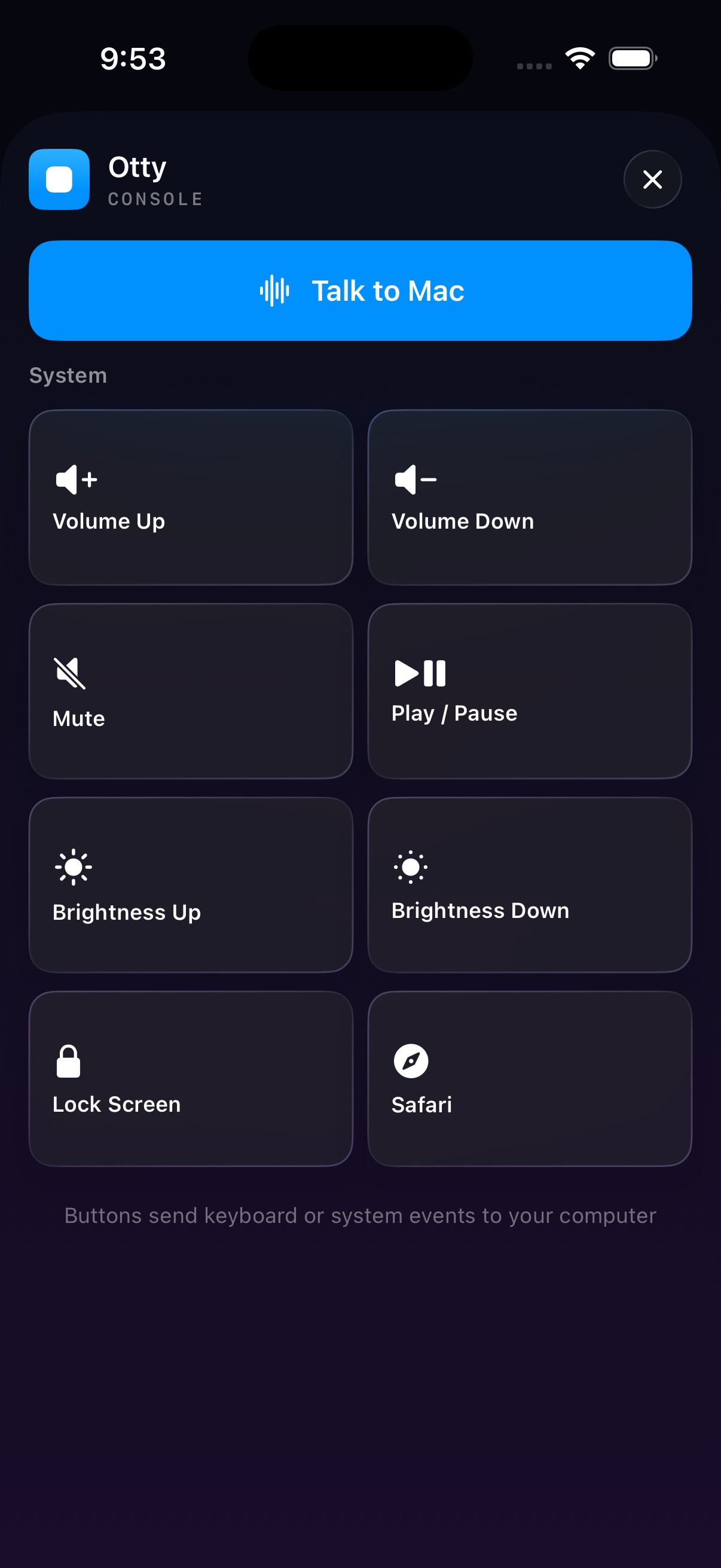
Console
·The fallback set: any app RemoteCrab doesn't know still gets keys, and system controls live here too
49 apps · 18 sets
Unlisted apps still get buttons
Those 49 are matched explicitly; everything else lands on the fallback set: volume up and down, mute, brightness, lock screen, show desktop. The things you press most are always one tap away.
About these shortcuts
- Shortcuts marked menu-verified were read out of each app's real menu bar, not guessed.
- Electron apps (VSCode, Discord, Lark) do not expose their menus to the accessibility API, so those use the vendor's documented shortcuts.
- The same chord means different things in different apps — ⌘B builds in Xcode, bolds in a text editor, toggles the sidebar in VSCode. That is exactly why those live in three separate sets.
- System controls (volume, brightness, lock) are sent as system-defined events. Nothing reads or changes your system settings.
Unknown apps go to the fallback
Even software RemoteCrab has never heard of gets the general set: volume, brightness, lock, show desktop.
See trackpad →Connect it and watch it switch
Download the desktop app, connect the phone, open the modes — the buttons change on their own.